Change Your WhatsApp Profile Photo From Waplify
You can now change the profile photo of your WhatsApp business number right inside Waplify. It's the photo your customers see next to your name in WhatsApp.
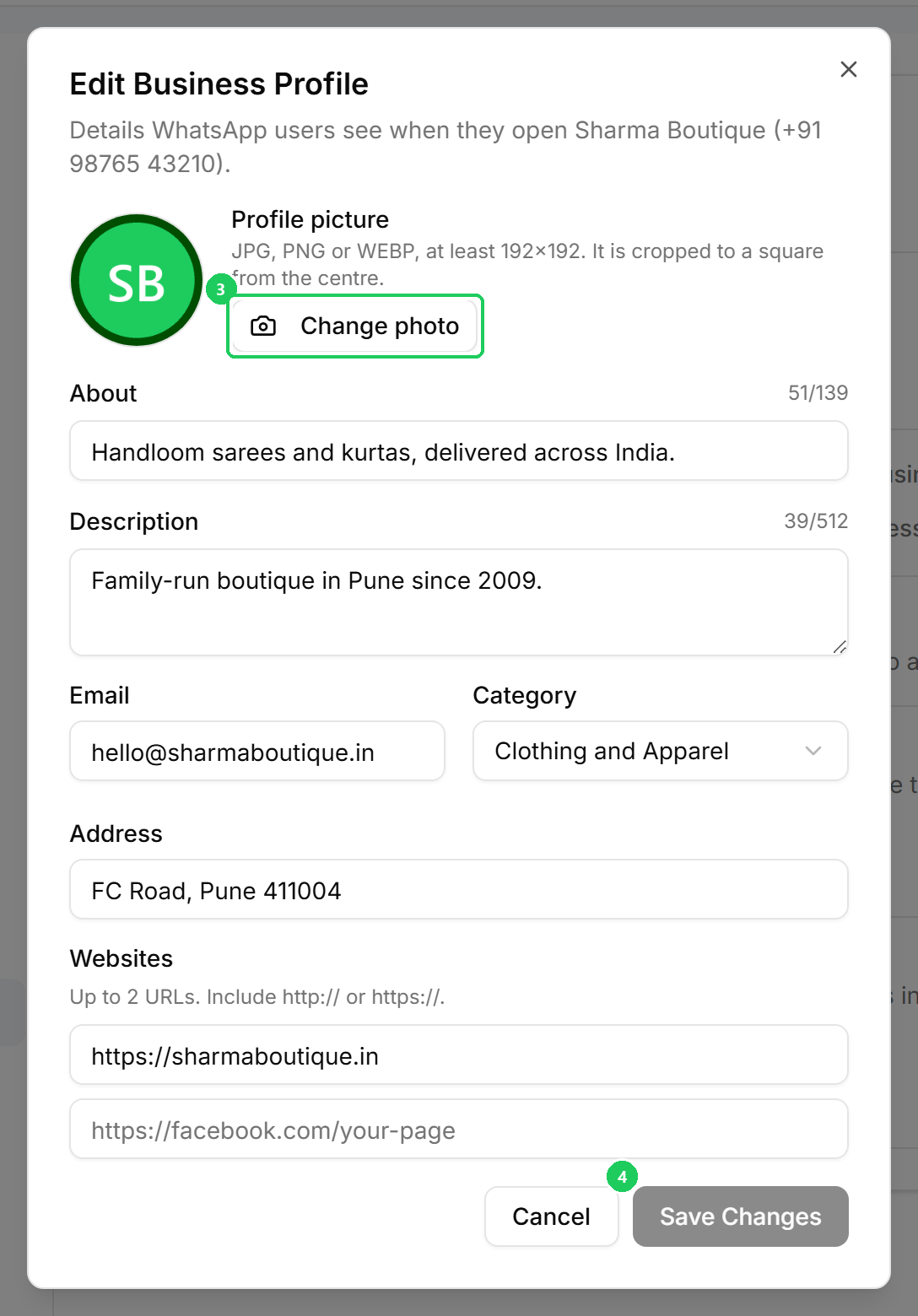
How to change it
- Go to Settings > WhatsApp.
- Click Edit on your number. The Edit Business Profile window opens.
- Under Profile picture, click Upload photo (or Change photo).
- Click Save Changes.
Good to know
- Use a JPG, PNG or WEBP image of at least 192 x 192 pixels, up to 10 MB. Waplify crops it to a square from the centre.
- Owners and admins can change it.
- If your number also runs on the WhatsApp Business app on a phone, change the photo in that app instead.
See Changing your profile photo for the full steps and the rest of your business profile.