WhatsApp Calling: Take and Make Customer Calls in Waplify
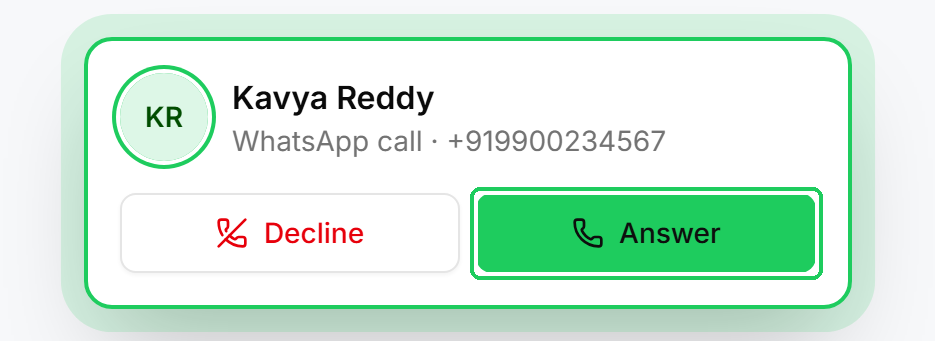
Your customers can now call your business on WhatsApp and the call rings in Waplify for your team. You answer in the browser, talk, and the call is saved in the customer's chat so everyone can see it happened. Your team can also call customers back, once the customer has allowed calls from you.
What you can do
- Take calls from customers. A call rings first for the team member who already handles that chat. If they don't pick up within about 10 seconds, everyone available rings.
- Call a customer from their chat, after they allow calls from you. Waplify can send them the request for you.
- Never lose a missed call. The chat moves to the top as unread, your team gets an alert, and you call back with one tap.
- See every call in the chat and on the new Calls page: who called, who answered, how long, and whether it was missed.
- Choose who takes calls. Each person sets themselves Available or Away, and an admin can switch calls off for anyone who shouldn't take them.
- Voicemail and call recording on some plans (see below).
How to switch it on
- Go to Settings > WhatsApp.
- Find your number and switch WhatsApp calling on.
- Make sure your team is set to Available.
The call button can take up to 7 days to show for all your customers.
New template button: Call on WhatsApp
Templates can now carry a Call on WhatsApp button. Your customer taps it and a WhatsApp voice call to your number starts, free for both of you.
- In the template builder, click to add a button and choose Call on WhatsApp (under Call to action buttons).
- In Callable for, choose how long the button keeps working: 1, 3, 7, 14 or 30 days.
- Submit the template as usual.
One Call on WhatsApp button per template. Calling must be on for the number that sends it, or Waplify asks you to turn it on first.
Good to know
- WhatsApp's rules apply. The number must be on the WhatsApp Cloud API only (not also on the WhatsApp Business app), able to message at least 2,000 customers a day, and have a payment method on your WhatsApp account.
- Calls from customers are free. When you call a customer, WhatsApp charges your account per minute. Waplify adds no charge per call.
- Plans: calling is on all paid plans. Call recording is on Growth, Business and Lifetime Platinum and Diamond. Voicemail is on Business and Lifetime Platinum and Diamond.
Start with the WhatsApp Calling Overview, then Take WhatsApp calls.