Block a Number
What is Block?
Blocking a number stops that person from messaging your business on WhatsApp. Their messages no longer reach your inbox, your chatbots or your team, and nothing is sent to them from Waplify: no replies, campaigns, sequences or chatbot messages.
Use it for spam, abusive messages, or anyone who keeps messaging after you have asked them to stop. You can unblock a number at any time.
How to use it
Block someone
- In Chat, open the chat, then click the ⋮ menu at the top right of the chat. You can also hover over the chat in the chat list and click its ⋮ menu.
- Click Block number.
- Check the message and click Block.
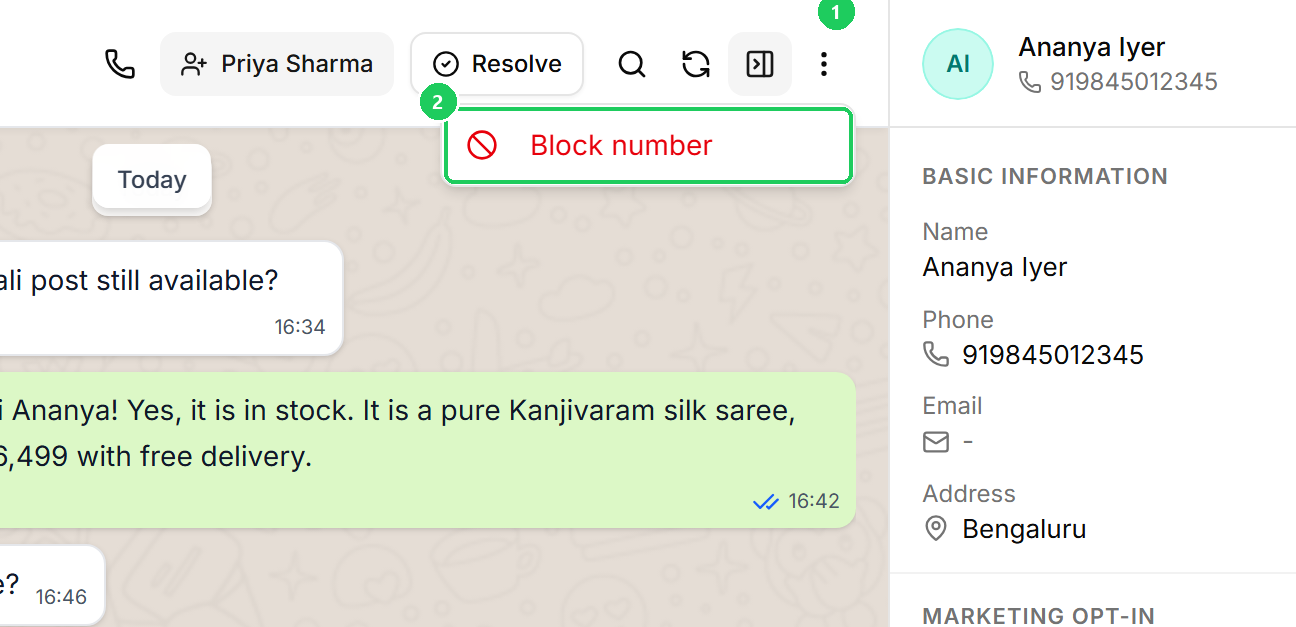
The chat is resolved and marked Blocked. Any drip sequence or chatbot running for that person stops.
Owners, admins and managers can block numbers. Agents can't.
Unblock someone
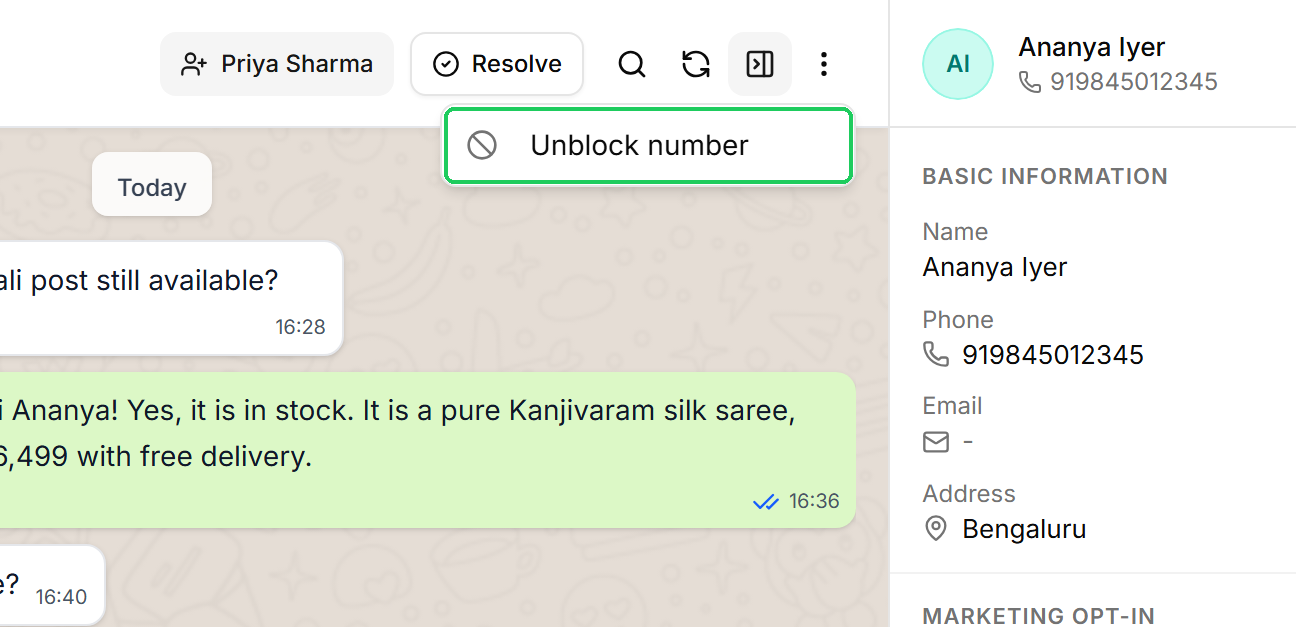
- Open the chat. A blocked chat shows This number is blocked where you normally type.
- Click Unblock number, then Unblock.
You can also choose Unblock number from the chat's ⋮ menu in the chat list.
See everyone you have blocked
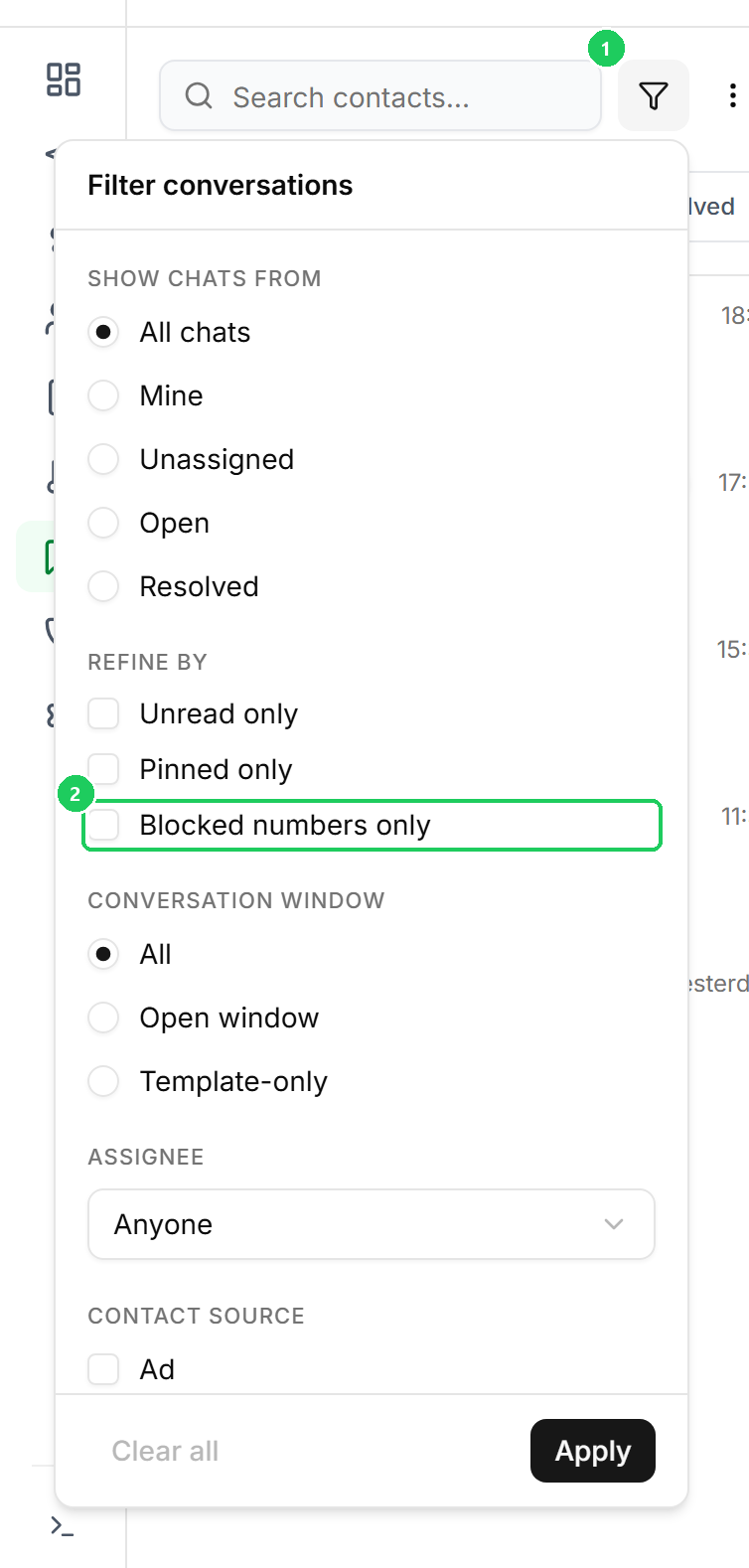
- In Chat, click the filter icon next to the search box.
- Tick Blocked numbers only and apply.
The list shows every blocked chat, each marked Blocked. Open one to unblock it.
Tips & best practices
- Blocking happens straight away in Waplify. WhatsApp only lets a business block someone who messaged it in the last 24 hours. If it has been longer, Waplify blocks them now and WhatsApp blocks them too the next time they message you. You don't need to do anything.
- Messages sent while someone is blocked are gone. If you unblock them later, those messages don't arrive. New messages work as normal.
- Unblocking doesn't restart automations. Sequences and chatbots that stopped when you blocked someone stay stopped.
- The person isn't told. On their phone, messages to you show a single grey tick.
- Block covers all your WhatsApp numbers. If you have more than one number in Waplify, the person is blocked on every one of them.
Frequently asked questions
Can I report a number to WhatsApp from Waplify? No. WhatsApp doesn't let any app report a number. If you also use the WhatsApp Business app on the same number, you can open the chat on your phone and tap Block and report.
Why does a chat say "Blocked" when I didn't block it in Waplify? When a message fails because WhatsApp says the number is blocked, for example because someone blocked it in the WhatsApp Business app on your phone, Waplify marks the chat as blocked so your team knows. You can unblock it from Waplify.
What happens to a campaign that includes a blocked number? Nothing is sent to that person. In the campaign report they show as You blocked this number.
I blocked the wrong person. What do I do? Unblock them from the chat. They can message you again straight away, and you can reply as normal.
Does blocking cost anything? No. Blocking is free on every plan.